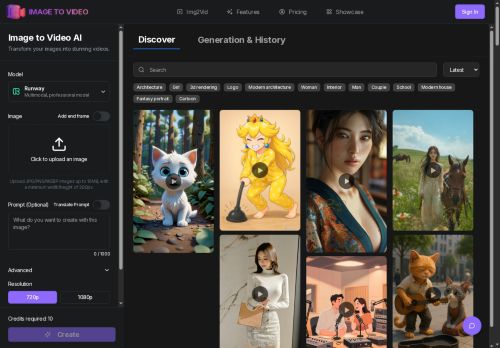

About Image to Video AI
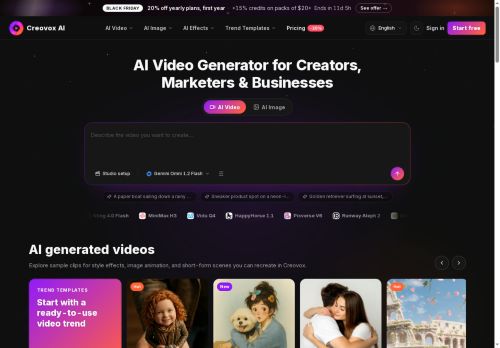
Image Video AI transforms static images into dynamic videos using AI.Users upload JPG, PNG, or WEBP images and generate videos with customizable animation styles, motion effects, and duration settings.
It supports 4K resolution and batch processing for multiple images.Suitable for social media, marketing, and creative projects.
Key features
Image to Video AI core features and benefits include the following:
- ✔️ Image transformation.
- ✔️ Customizable animation styles.
- ✔️ Motion effects.
- ✔️ 4K resolution support.
- ✔️ Batch processing.
Use cases & applications
- ✔️ Transform a collection of product images into engaging promotional videos for social media campaigns, using customizable animations and effects to capture audience attention.
- ✔️ Create dynamic video content from travel photos for a personal vlog or travel marketing, enhancing storytelling with 4K resolution visuals and smooth transitions.
- ✔️ Generate animated video slideshows from event photos for presentations or commemorative projects, allowing for batch processing to save time while maintaining high-quality output.
Who is it for?
Image to Video AI can be useful for the following user groups:
Social media managers
Marketers
Creative professionals
Based on 6 verified user reviews — Average rating: 3.67/5

@deborahross4936
TurkeyGreat for brainstorming and first drafts. Saved me at least a couple of hours this month.

@iconderwood6691
TurkeyDört yıldız. Araç setimde yer edinecek kadar güvenilir.

@maalton2917
TurkeyMixed results with Image to Video AI. Good on short tasks, weaker on longer ones.


@heatheranderson2137
TurkeyDetailed take after daily use: Image to Video AI is strongest on speed and decent on quality when the brief is clear. I tested it against two alternatives on the same tasks (blog outline, meeting notes cleanup, and a short product FAQ). Image to Video AI was the fastest and produced the least awkward tone. Weak points are edge cases — niche jargon and multi-step instructions sometimes drift. I solved that with a saved prompt style guide. Pricing is okay if you actually use it several times a week; otherwise the free tier may be enough. Overall I would recommend it to freelancers and small teams who need reliable first drafts, not final publish-ready copy every time.

@jacquelinemorgan365
TurkeyMixed first impression, then it clicked. Now it is part of my weekly stack.
More Video AI Tools
Explore other video tools with user ratings, pricing details, and in-depth descriptions. Updated regularly by our editorial team.