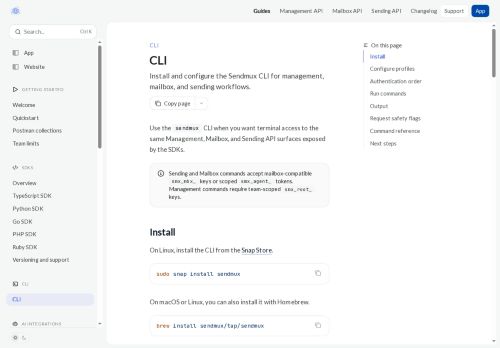

About Sendmux CLI
delivered, message.bounced, message.rejected, message.received, message.received.spam, message.delivery_delayed, sendmux.test) and scoping webhooks to teams or specific mailboxes.Signature verification using x-sendmux-signature and signing-secret rotation secure event payloads, while x-sendmux-event-id enables deduplication and retry tracking.
The management API lets teams create webhooks, list delivery attempts, fetch retained payloads (7-day retention), rotate secrets, and send test events for integration and troubleshooting.Retry logic attempts delivery until a 2xx response over a 24-hour window and marks persistent failures for owner review.
Delivery review tools provide recent attempts, response status, latency, retry state, and retained payloads to support debugging and deliverability analysis.For low-latency inbound updates, the mailbox API offers a mailbox client with server-sent events for live message streams.
Key Features
- Webhook setup and management with HTTPS endpoints for email delivery and mailbox events
- Configurable event-type selection and scoping of webhooks to teams or specific mailboxes
- Signature verification using x-sendmux-signature with signing-secret rotation
- Management API to create webhooks, list delivery attempts, fetch retained payloads, rotate secrets, and send test events
- Mailbox API with a mailbox client using server-sent events (SSE) for low-latency live message streams
Use Cases
- Route inbound emails to your app by configuring secure HTTPS mailbox webhook endpoints with event filtering and rotating-secret signature verification, while relying on retry/dedup tracking and 7-day payload retention to ensure reliable processing and easy debugging
- Power real-time support and notification systems using Sendmux live SSE mailbox streams and delivery attempt analytics to trigger instant alerts, debug failed deliveries, and automatically retry transient errors
- Create compliant audit and forensic workflows by capturing mailbox events for 7 days, verifying webhook signatures, and using delivery/dedup logs and delivery debugging to reconstruct message delivery timelines and prove integrity
Who is it for?
- Software developers
- Product engineers
- Operations teams
- Devops engineers
- Security engineers
Based on 9 verified user reviews — Average rating: 3.44/5
@_tushar_naugain_
TurkeyTekrarlayan işler için yardımcı. Önemli çıktılarda yine insan kontrolü gerekiyor.

@jerryparker8022
TurkeyDaha iyi prompt yazınca çıktı kalitesi net yükseldi. Kullanışlı buldum.

@stephanieking7436
TurkeyMasaüstünde sorunsuz çalışıyor. Daha fazla dışa aktarma seçeneği olsa iyi olur.


@nancyadams7120
TurkeyVaadettiğini büyük ölçüde yapıyor. Mükemmel değil ama bu kategoride denemeye değer.

@briangray6576
TurkeyDetailed take after daily use: Sendmux CLI is strongest on speed and decent on quality when the brief is clear. I tested it against two alternatives on the same tasks (blog outline, meeting notes cleanup, and a short product FAQ). Sendmux CLI was the fastest and produced the least awkward tone. Weak points are edge cases — niche jargon and multi-step instructions sometimes drift. I solved that with a saved prompt style guide. Pricing is okay if you actually use it several times a week; otherwise the free tier may be enough. Overall I would recommend it to freelancers and small teams who need reliable first drafts, not final publish-ready copy every time.
More Developer tools AI Tools
Explore other developer tools tools with user ratings, pricing details, and in-depth descriptions. Updated regularly by our editorial team.