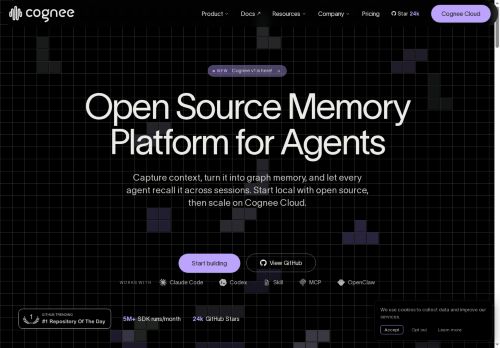

About Cognee AI
Connectors for S3, data warehouses, Slack, Notion, Google Drive and document stores ingest files, chats and APIs into a single recallable memory layer.Support for custom ontologies, data models and permission controls helps teams govern memory and maintain authoritative, searchable knowledge.
Deploy locally for on-premise control or scale on Cognee Cloud to preserve project context, decisions and past work across sessions.Common use cases include long-term agent memory for coding assistants, research and knowledge bases, sales and deal intelligence, technical manuals, and educational teaching assistants.
Key Features
- Captures context and builds graph and vector memory to enable cross-session agent recall
- Provides SDK and Memory API with integrations for Claude, Claude Code, Codex, Cursor, MCP, OpenClaw, LangGraph and other agent frameworks for read/write memory access
- Connectors for S3, data warehouses, Slack, Notion, Google Drive and document stores to ingest files, chats and APIs into a unified recallable memory layer
- Support for custom ontologies, data models and permission controls for governed, searchable memory
- Deployable locally (on-premise) or scalable via Cognee Cloud
Use Cases
- Build a customer-support assistant using Cognee that persistently remembers past conversations across Slack, email and Drive, stitches context into graph and vector memory for fast retrieval of case history and recommended resolutions, and runs on-premise with governance controls to keep sensitive data compliant
- Develop an internal knowledge hub for engineering and product teams using Cognee's connectors (Notion, S3, Drive) to ingest docs, map relationships with graph memory and a custom ontology, and provide searchable, recallable memory across sessions via the Memory API or SDK for instant access to design decisions and code snippets
- Create a research and experimentation assistant using Cognee to capture papers, experiment notes and datasets into vector memory for semantic search, surface related prior work and follow-ups across sessions, integrate via SDK/connectors and deploy on-premise with access and retention policies enforced by governance controls
Who is it for?
- Agent developers
- Machine learning engineers
- Data engineers
- Product managers
- Devops engineers
Based on 5 verified user reviews — Average rating: 4.20/5

@russelljohnson7356
TurkeyWhat surprised me about Cognee AI is how little friction there is once you set preferences. I keep a short checklist: audience, tone, must-include points, and forbidden phrases. With that, outputs are consistently usable. Without it, results feel generic. I also like that I can iterate quickly instead of restarting from a blank page. Missing features for me: better version history and clearer export options. Even so, it has replaced a couple of scattered tools in my stack. Rating reflects practical value in my week, not hype from the landing page.

@christinabennett6256
TurkeyPerformansı tutarlı. İki haftalık kullanımda ciddi bir hata görmedim.

@justinmitchell3839
TurkeyCognee AI ile ilgili sürpriz, tercihleri ayarladıktan sonra sürtünmenin azalması oldu. Kısa bir kontrol listem var: hedef kitle, ton, zorunlu maddeler, istenmeyen ifadeler. Bunlarla çıktılar düzenli şekilde kullanılabilir oluyor. Olmadan sonuçlar genel kalıyor. Boş sayfadan başlamak yerine hızlıca iterasyon yapabilmek de büyük artı. Eksik gördüğüm yerler: daha iyi sürüm geçmişi ve net export seçenekleri. Yine de dağınık birkaç aracı elimden aldı. Puanım reklam değil, haftalık pratik faydaya göre.


@donaldgutierrez7958
TurkeyHızından etkilendim. Gerçek bir projede denedim ve gayet iyi dayandı.

@andreagray2170
TurkeyDetailed take after daily use: Cognee AI is strongest on speed and decent on quality when the brief is clear. I tested it against two alternatives on the same tasks (blog outline, meeting notes cleanup, and a short product FAQ). Cognee AI was the fastest and produced the least awkward tone. Weak points are edge cases — niche jargon and multi-step instructions sometimes drift. I solved that with a saved prompt style guide. Pricing is okay if you actually use it several times a week; otherwise the free tier may be enough. Overall I would recommend it to freelancers and small teams who need reliable first drafts, not final publish-ready copy every time.
More Developer tools AI Tools
Explore other developer tools tools with user ratings, pricing details, and in-depth descriptions. Updated regularly by our editorial team.