
About AIDesignHouse
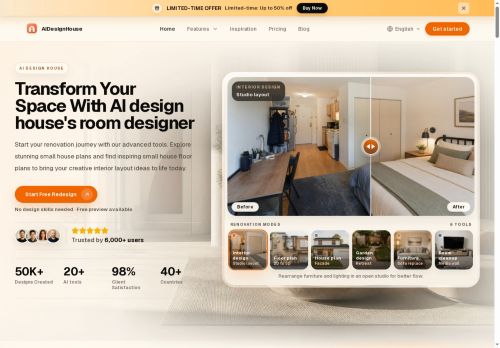
Built for small house plans and larger remodels, the tool supports modern and traditional interior design styles and quick layout iterations.Users can test paint colors, storage solutions, furniture layouts and structural changes to validate renovation choices before construction.
Outputs include shareable visuals and measurement-accurate plans that streamline collaboration between homeowners, interior designers, contractors and builders.Workflow follows a clear sequence.upload a space photo, choose a style, customize the layout, then export or share design assets.
Common use cases include room planning, home renovation, space optimization, barndominium and garage apartment layouts, and DIY project visualization.
Key Features
- Photo/sketch/text-to-editable 2D and 3D floor plan and design visualization conversion
- AI floor plan generator
- Virtual staging
- Furniture rearrangement
- Lighting simulation
Use Cases
- Convert photos, sketches or text prompts into editable 2D/3D floor plans for home renovations using the AI tool, preview virtual staging and furniture rearrangements with lighting simulation, and export measurement-accurate plans for contractors and permit applications
- Create client-ready interior design proposals by turning quick sketches or room photos into interactive 3D visualizations, test multiple furniture layouts and facade/garden options in real time, and share measurement-accurate exports for collaborative feedback
- Produce compelling real estate listings and renovation estimates by generating measurement-accurate floor plans and virtual staging from listing photos, simulate lighting and outdoor layouts to showcase curb appeal, then export files for contractors, marketing materials and buyer walkthroughs
Who is it for?
- Interior designers
- Architects
- Property developers
- Real estate agents
- Diy enthusiasts
Based on 5 verified user reviews — Average rating: 4.40/5

@ryanthompson8995
TurkeyAIDesignHouse araçını birkaç haftadır gerçek işlerde deniyorum; sadece demo değil. İlk hafta prompt alışkanlığı kazanmakla geçti. Sonrasında özellikle taslak, e-posta yanıtı ve özet işlerinde süre belirgin düştü. Kusursuz değil: uzun metinlerde yapı bozulabiliyor ve kritik noktaları mutlaka kontrol ediyorum. Yine de yoğun bir haftada düşünmeden açtığım araçlardan biri oldu. Net bir iş akışınız varsa AIDesignHouse kolay oturuyor. Sıfır düzenlemeyle sihir bekliyorsanız hayal kırıklığı olur. Benim için sıkıcı ara adımları kısaltması yeterli sebep.

@susanrogers7476
TurkeyTekrarlayan işler için yardımcı. Önemli çıktılarda yine insan kontrolü gerekiyor.

@kathrynpeterson5193
TurkeyI have been using AIDesignHouse for a few weeks on real client work, not just demos. The first week was mostly learning prompts and figuring out which templates stick. After that, drafting time dropped noticeably — especially for outlines, email replies, and first-pass summaries. It is not flawless: long documents sometimes lose structure, and I still fact-check anything important. Still, for a busy week it has become one of the tools I open without thinking. If you already have a clear workflow, AIDesignHouse fits in cleanly. If you expect magic with zero editing, you will be disappointed. For me, the time saved on the boring middle steps is worth it.


@vinnie
TurkeyDoes what it promises. Not perfect, but definitely worth trying if you need this category of AI help.

@gabrielscott5426
TurkeyDaha iyi prompt yazınca çıktı kalitesi net yükseldi. Kullanışlı buldum.
More Interior design AI Tools
Explore other interior design tools with user ratings, pricing details, and in-depth descriptions. Updated regularly by our editorial team.