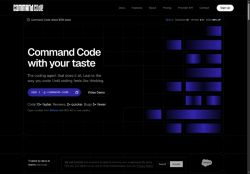

About Command Code AI
Features include session management (/session-file, /fork, /reload, /goal), sliding-window memory, headless TUI for CI, and persisted resumeable sessions on disk.Developer-focused capabilities include a non-blocking auto-updater, CLI-native fingerprinting, telemetry options, trace IDs for debugging, and detailed changelogs.
Operational tools cover background shell tasks, bounded monitor runs, persistent output logs, large-file safe readers, and cross-platform fixes for Windows terminals.Target users include developers, engineers, and power users needing CLI-based model selection, scriptable automation, long-running task monitoring, and reproducible session workflows.
Key Features
- Multi-model support (OpenAI GPT-5.6, Muse Spark, Grok, Claude Sonnet, GLM, Kimi, Tencent) with vision-model image-path handling
- Session management (/session-file, /fork, /reload, /goal) with persisted, resumable sessions on disk
- Sliding-window memory for conversational context
- Headless TUI for CI and headless operation
- Operational tooling: background shell tasks, bounded monitor runs, persistent output logs, large-file-safe readers, and cross-platform terminal fixes
Use Cases
- Automate reliable extraction and QA from very large documents and images using Command Code's large-file-safe reader and vision inputs, orchestrating scriptable, resumable workflows that run headless in CI, persist logs for audit trails, and resume from failures without manual intervention
- Build reproducible long-running batch-inference and evaluation pipelines across multiple LLMs by leveraging session management, sliding-window memory, and background task monitoring—allowing interrupted jobs to resume, producing traceable persistent logs for debugging, and enabling developer tooling for automation
- Implement a production-ready conversational agent and ticketing automation that preserves context with sliding-window memory, uses the CLI to orchestrate LLMs and parse attachments via vision inputs, and operates as a headless, resumable service with persistent logs and monitoring for seamless CI/CD integration
Who is it for?
- Software developers
- Machine learning engineers
- Data scientists
- Automation engineers
- Devops engineers
Based on 9 verified user reviews — Average rating: 3.89/5

@sophiamartinez3798
TurkeyTaslak üretimi için yeterince güvenilir. Çıktıyı düzenliyorum ama ilk geçiş güçlü.

@aaronrogers8837
TurkeyCommand Code AI araçını birkaç haftadır gerçek işlerde deniyorum; sadece demo değil. İlk hafta prompt alışkanlığı kazanmakla geçti. Sonrasında özellikle taslak, e-posta yanıtı ve özet işlerinde süre belirgin düştü. Kusursuz değil: uzun metinlerde yapı bozulabiliyor ve kritik noktaları mutlaka kontrol ediyorum. Yine de yoğun bir haftada düşünmeden açtığım araçlardan biri oldu. Net bir iş akışınız varsa Command Code AI kolay oturuyor. Sıfır düzenlemeyle sihir bekliyorsanız hayal kırıklığı olur. Benim için sıkıcı ara adımları kısaltması yeterli sebep.

@teresaross8510
TurkeyTavsiye etmem. Destek talebime dönülmedi, ücretlendirme de yanıltıcı hissettirdi.


@virginiacox1493
TurkeyBeyin fırtınası ve ilk taslaklar için harika. Bu ay birkaç saatimi kurtardı.

@sophiaphillips1949
TurkeyI like Command Code AI more than expected. Clean UX and dependable outputs.
More Developer tools AI Tools
Explore other developer tools tools with user ratings, pricing details, and in-depth descriptions. Updated regularly by our editorial team.