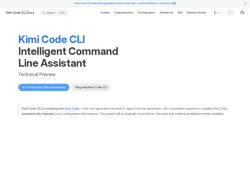

About Kimi - CLI
The tool delivers optimized Markdown documentation and a searchable docs site with English and Simplified Chinese support.Installation automatically migrates existing configuration and session data to simplify upgrades.
Available as a technical preview with a recommended Go runtime, it offers LLM-assisted command suggestions and terminal automation.Kimi Code CLI targets developers and maintainers who need streamlined CLI workflows, local customization, and quick access to reference material.
Project documentation and legacy installation guides remain available during migration.
Key Features
- LLM-assisted command suggestions and terminal automation
- Unified CLI workflow integrating search, guides, customization, configuration reference, and release notes
- Optimized Markdown documentation and searchable docs site with English and Simplified Chinese support
- Automatic migration of existing configuration and session data during installation
- Local customization and configuration management
Use Cases
- Create a unified, searchable CLI documentation site for your engineering team using Kimi Code CLI, automatically generating Markdown guides, config references, and release notes with built-in English and Simplified Chinese support for global accessibility
- Accelerate developer workflows by using Kimi Code CLI's LLM-assisted command suggestions and terminal automation to convert natural-language tasks into safe, reproducible shell commands and embed them into team-shared docs
- Simplify configuration migration and DevOps onboarding with Kimi Code CLI by detecting and transforming environment configs, generating step-by-step migration guides, and versioning changes in a customizable, searchable docs workflow
Who is it for?
- Developers
- Devops engineers
- Maintainers
- Product managers
- System administrators
Based on 13 verified user reviews — Average rating: 3.69/5

@saracollins2594
TurkeyKimi - CLI araçını birkaç haftadır gerçek işlerde deniyorum; sadece demo değil. İlk hafta prompt alışkanlığı kazanmakla geçti. Sonrasında özellikle taslak, e-posta yanıtı ve özet işlerinde süre belirgin düştü. Kusursuz değil: uzun metinlerde yapı bozulabiliyor ve kritik noktaları mutlaka kontrol ediyorum. Yine de yoğun bir haftada düşünmeden açtığım araçlardan biri oldu. Net bir iş akışınız varsa Kimi - CLI kolay oturuyor. Sıfır düzenlemeyle sihir bekliyorsanız hayal kırıklığı olur. Benim için sıkıcı ara adımları kısaltması yeterli sebep.

@russellcook8334
TurkeyExactly what I needed for quick iterations. Recommend for freelancers and small teams.

@loganwood6109
TurkeyWhat surprised me about Kimi - CLI is how little friction there is once you set preferences. I keep a short checklist: audience, tone, must-include points, and forbidden phrases. With that, outputs are consistently usable. Without it, results feel generic. I also like that I can iterate quickly instead of restarting from a blank page. Missing features for me: better version history and clearer export options. Even so, it has replaced a couple of scattered tools in my stack. Rating reflects practical value in my week, not hype from the landing page.


@elixtone8403
TurkeyYardımcı ve çoğunlukla tutarlı. Freelancerlara öneririm.

@joshuabailey5773
TurkeyI have been using Kimi - CLI for a few weeks on real client work, not just demos. The first week was mostly learning prompts and figuring out which templates stick. After that, drafting time dropped noticeably — especially for outlines, email replies, and first-pass summaries. It is not flawless: long documents sometimes lose structure, and I still fact-check anything important. Still, for a busy week it has become one of the tools I open without thinking. If you already have a clear workflow, Kimi - CLI fits in cleanly. If you expect magic with zero editing, you will be disappointed. For me, the time saved on the boring middle steps is worth it.
More Code assistant AI Tools
Explore other code assistant tools with user ratings, pricing details, and in-depth descriptions. Updated regularly by our editorial team.