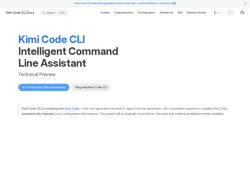

About Kimi - CLI
Kimi Code CLI is an intelligent command-line assistant for developers and DevOps teams.Rebuilt and upgraded for faster iterations, it combines CLI search, guides, customization, configuration reference, and release notes into a unified workflow.
The tool delivers optimized Markdown documentation and a searchable docs site with English and Simplified Chinese support.Installation automatically migrates existing configuration and session data to simplify upgrades.
Available as a technical preview with a recommended Go runtime, it offers LLM-assisted command suggestions and terminal automation.Kimi Code CLI targets developers and maintainers who need streamlined CLI workflows, local customization, and quick access to reference material.
Project documentation and legacy installation guides remain available during migration.
Key Features
Use Cases
Who is it for?
The tool delivers optimized Markdown documentation and a searchable docs site with English and Simplified Chinese support.Installation automatically migrates existing configuration and session data to simplify upgrades.
Available as a technical preview with a recommended Go runtime, it offers LLM-assisted command suggestions and terminal automation.Kimi Code CLI targets developers and maintainers who need streamlined CLI workflows, local customization, and quick access to reference material.
Project documentation and legacy installation guides remain available during migration.
Key Features
- LLM-assisted command suggestions and terminal automation
- Unified CLI workflow integrating search, guides, customization, configuration reference, and release notes
- Optimized Markdown documentation and searchable docs site with English and Simplified Chinese support
- Automatic migration of existing configuration and session data during installation
- Local customization and configuration management
Use Cases
- Create a unified, searchable CLI documentation site for your engineering team using Kimi Code CLI, automatically generating Markdown guides, config references, and release notes with built-in English and Simplified Chinese support for global accessibility
- Accelerate developer workflows by using Kimi Code CLI's LLM-assisted command suggestions and terminal automation to convert natural-language tasks into safe, reproducible shell commands and embed them into team-shared docs
- Simplify configuration migration and DevOps onboarding with Kimi Code CLI by detecting and transforming environment configs, generating step-by-step migration guides, and versioning changes in a customizable, searchable docs workflow
Who is it for?
- Developers
- Devops engineers
- Maintainers
- Product managers
- System administrators
Based on 13 verified user reviews — Average rating: 3.69/5

@stephaniegonzalez236
TurkeyReliable enough for production drafts. I edit the output, but the first pass is strong.

@illaibson9081
TurkeyI like Kimi - CLI for first passes. Not perfect, but clearly useful.

@jerrynelson9551
TurkeyBelow expectations. Occasional useful bits, but too many errors to trust for real work.


@henryruiz4785
TurkeySade, odaklı ve şişirilmemiş. Bu bile birçok AI aracından ayırıyor.

@bobbysmith9785
TurkeySade, odaklı ve şişirilmemiş. Bu bile birçok AI aracından ayırıyor.
More Code assistant AI Tools
Explore other code assistant tools with user ratings, pricing details, and in-depth descriptions. Updated regularly by our editorial team.