
About Sea Imagine AI
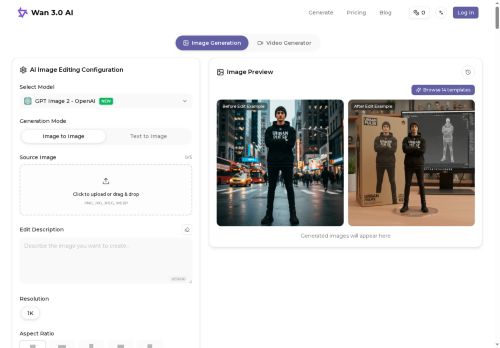
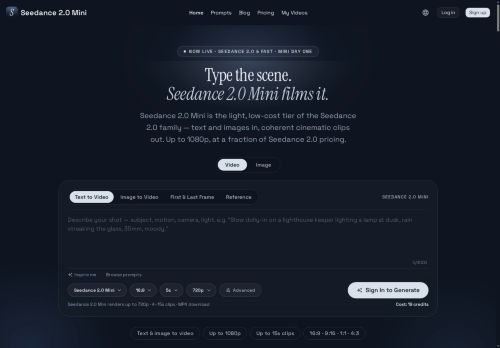
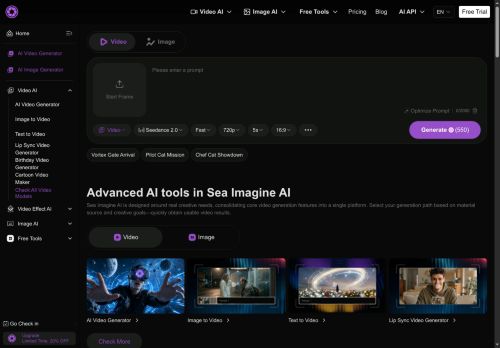
Sea Imagine AI is an all-in-one AI video and image generator supporting text-to-video, image-to-video, and video-to-video workflows.The platform uses multiple multimodal AI models and style presets to generate scenes, control motion and camera transitions, and synchronize audio-video output.
Features include motion control, reusable editable outputs, multi-version rendering, and template-based generation for faster iteration.Export options cover common resolutions and aspect ratios (including 720p and 1080p) and produce files ready for editing, voiceover, or distribution.
The unified interface consolidates prompt input, model selection, rendering, and export into a single workflow.Suitable for content creators, marketers, educators, filmmakers, and hobbyists creating presentation clips, social media videos, visual assets, and storyboards.
Designed to support rapid prototyping of visual ideas and integration into existing video editing pipelines.
Key Features
Use Cases
Who is it for?
Features include motion control, reusable editable outputs, multi-version rendering, and template-based generation for faster iteration.Export options cover common resolutions and aspect ratios (including 720p and 1080p) and produce files ready for editing, voiceover, or distribution.
The unified interface consolidates prompt input, model selection, rendering, and export into a single workflow.Suitable for content creators, marketers, educators, filmmakers, and hobbyists creating presentation clips, social media videos, visual assets, and storyboards.
Designed to support rapid prototyping of visual ideas and integration into existing video editing pipelines.
Key Features
- Text-to-video, image-to-video, and video-to-video workflows
- Multiple multimodal AI models and style presets for scene generation and style control
- Motion control and camera transition control with audio–video synchronization
- Reusable editable outputs and multi-version rendering
- Template-based generation and unified interface for prompt input, model selection, rendering, and export
Use Cases
- Create production-ready marketing videos from simple text prompts using Sea Imagine AI's text-to-video templates, apply motion and camera controls for cinematic shots, render multiple versions for A/B testing and export in formats ready for ad platforms
- Turn product photos into dynamic demo clips by converting images-to-video with adjustable camera moves and audio-video sync, iterate quickly with multi-version rendering and deliver export-ready files optimized for e-commerce listings and social media
- Rapidly prototype and refine footage by importing video-to-video, use template-based editing and motion control to adjust pacing and camera angles, collaborate on editable clips and export high-quality sequences for post-production or client review
Who is it for?
- Content creators
- Filmmakers
- Video editors
- Storyboard artists
- Creative agencies
No review yet!
More Video AI Tools
Explore other video tools with user ratings, pricing details, and in-depth descriptions. Updated regularly by our editorial team.