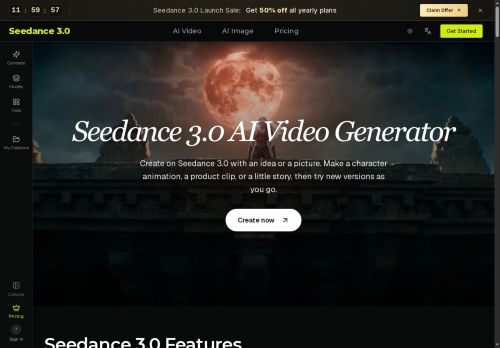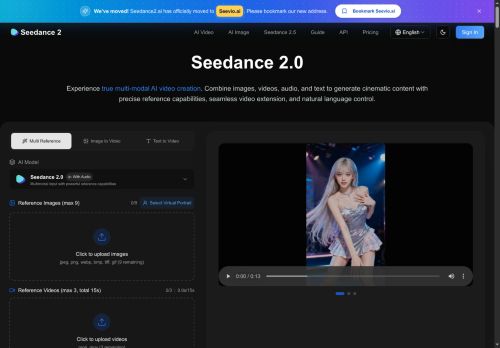

About Seevio AI
Use natural-language prompts and reference tags (e.g., @image1, @video1, @audio1) to control visual elements, motion, camera movements, and scene edits.Output supports resolutions from 480p to 4K and multiple aspect ratios, with batch generation for multiple videos.
Key features include reference-driven motion and camera replication, character and style consistency across frames, video extension and segment editing, and audio generation with beat-sync.Typical use cases include advertising and product videos, educational content and tutorials, short films and music videos, social media clips, choreography replication, and real estate walkthroughs.
Workflow.upload assets, tag references in prompts, generate 4–15 second clips, then iterate to extend or refine edits.
Key Features
- Multimodal reference-based generation from text, images, videos, and audio (supports up to 9 images, 3 videos ≤15s, 3 audio files ≤15s, max 12 assets)
- Natural-language prompting with reference tags (e.g., @image1, @video1, @audio1) to control visuals, motion, camera movements, and scene edits
- Reference-driven motion and camera replication
- Character and style consistency across frames
- Output and editing capabilities: resolutions 480p–4K, aspect ratios (16:9, 9:16, 1:1, 21:9), batch generation, video extension and segment editing, and audio generation with beat-sync
Use Cases
- Create short, platform-ready product promo videos from static product images and brand assets by using Seedance 2.0's reference-driven motion and camera replication, beat-syncing to your audio track and batch-rendering multiple aspect ratios and resolutions (480p–4K) for consistent cross-platform campaigns
- Produce consistent character-driven 4–15 second story snippets or game trailers by feeding character images and motion/video references to maintain style and animation continuity, replicate camera moves from reference clips, and export variants for social, web, and in-app use
- Generate music-synced visual clips and social-sized music videos by combining image/video references with an audio track to create beat-synced motion and camera choreography, then batch render multi-aspect, multi-resolution outputs for TikTok, Reels, and YouTube Shorts
Who is it for?
- Video producers
- Content creators
- Filmmakers
- Musicians
- Educators
Based on 8 verified user reviews — Average rating: 3.50/5

@bryansmith1712
TurkeyArayüzü temiz, çıktı kalitesi iyi. Günlük işlerimde sık kullanıyorum.

@jacobnguyen5795
TurkeyOkay starter tool. I still edit a lot, but it beats a blank page.

@masonrivera9164
TurkeySeevio AI umut verici. Birkaç özellik eksik olsa da çekirdek deneyim güçlü.


@alexiscruz1847
TurkeyMasaüstünde sorunsuz çalışıyor. Daha fazla dışa aktarma seçeneği olsa iyi olur.

@robertevans3981
TurkeyWhat surprised me about Seevio AI is how little friction there is once you set preferences. I keep a short checklist: audience, tone, must-include points, and forbidden phrases. With that, outputs are consistently usable. Without it, results feel generic. I also like that I can iterate quickly instead of restarting from a blank page. Missing features for me: better version history and clearer export options. Even so, it has replaced a couple of scattered tools in my stack. Rating reflects practical value in my week, not hype from the landing page.
More Video AI Tools
Explore other video tools with user ratings, pricing details, and in-depth descriptions. Updated regularly by our editorial team.