
About Video Converter
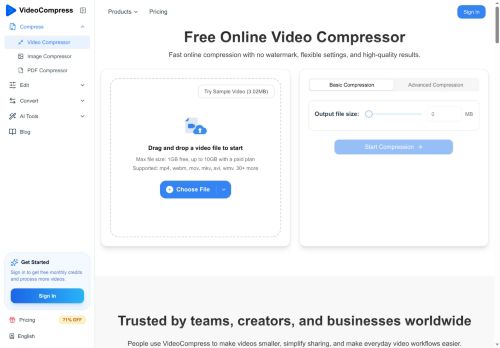
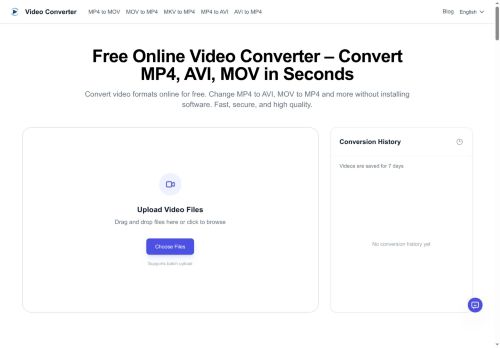
Free Online Video Converter converts video files directly in the browser without installing software.It supports common input and output formats including MP4, AVI, MOV, MKV, WEBM, WMV and FLV, and can extract audio to MP3, WAV or AAC.
Batch upload and drag-and-drop support speed up multi-file workflows, while adjustable resolution and quality settings let users convert for mobile, web, TV or social platforms.Cloud-based processing provides fast conversions for large files and options to reduce file size for sharing or storage.
The tool preserves video resolution and audio clarity during format changes and includes conversion history and straightforward download options.Browser compatibility across desktop and mobile devices enables use on Windows, macOS, iOS and Android without additional software.
Security features include encrypted uploads and automatic file removal after processing to limit retained copies.
Key Features
Use Cases
Who is it for?
Batch upload and drag-and-drop support speed up multi-file workflows, while adjustable resolution and quality settings let users convert for mobile, web, TV or social platforms.Cloud-based processing provides fast conversions for large files and options to reduce file size for sharing or storage.
The tool preserves video resolution and audio clarity during format changes and includes conversion history and straightforward download options.Browser compatibility across desktop and mobile devices enables use on Windows, macOS, iOS and Android without additional software.
Security features include encrypted uploads and automatic file removal after processing to limit retained copies.
Key Features
- Browser-based video conversion without installing software
- Support for multiple input/output formats and audio extraction (MP4, AVI, MOV, MKV, WEBM, WMV, FLV; MP3, WAV, AAC)
- Batch upload and drag-and-drop for multi-file workflows
- Adjustable resolution and quality settings for target platforms
- Cloud-based processing with large-file support and file size reduction
Use Cases
- Convert high-resolution camera or drone footage to MP4, MOV or other web-friendly formats in the browser with adjustable resolution and quality, preserving audio/video fidelity and using encrypted cloud processing for large files without installing software
- Batch-convert multiple raw video formats (AVI, MKV, WEBM, MP4) to a uniform output for editing or publishing by dragging and dropping files, setting quality presets, and leveraging cloud processing with automatic file removal for security
- Extract audio from lectures, podcasts, or interviews to MP3/WAV/AAC directly on mobile or desktop, maintain audio quality for transcription or republishing, and ensure privacy with encrypted uploads and automatic deletion
Who is it for?
- Content creators
- Video creators
- Web developers
- Social media managers
- Business owners
No review yet!
More Video AI Tools
Explore other video tools with user ratings, pricing details, and in-depth descriptions. Updated regularly by our editorial team.