
About SelectTranslate
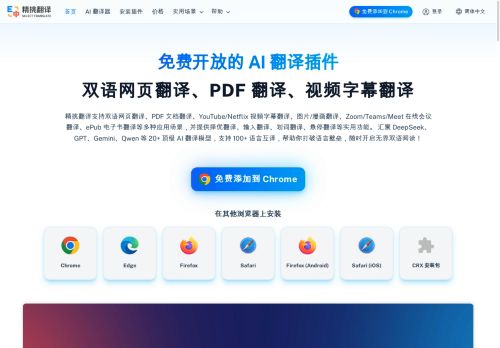
SelectTranslate is a free AI translation browser extension accessible to all users, designed as an all-in-one translation tool for multiple scenarios — covering web pages, documents, videos, images, and meetings.
It supports a wide range of use cases, including Bilingual Webpage Translation, multi-format Document Translation, YouTube/Netflix Video Subtitle Translation, Image/Comic Translation, Online Meeting Translation for Zoom/Teams/Meet, and ePub E-book Translation.
Its signature feature, Optimal Translation, invokes multiple models simultaneously and intelligently scores their outputs to recommend the best translation.It also provides practical features such as Input Translation, Selection Translation, Hover Translation, AI Expert, and Termbase, meeting the needs of bilingual reading, foreign-language learning, content creation, and cross-language communication.
SelectTranslate brings together 20+ top-tier AI translation models — DeepSeek, OpenAI, Gemini, Qwen, Claude, Grok, GLM, Kimi, and more — supporting translation between 100+ languages.Serving users worldwide, the product offers extensions for major browsers including Chrome, Edge, Firefox, and Safari, as well as CRX install packages, and is built around a multi-model best-translation selection mechanism that addresses the pain point of insufficient accuracy in traditional machine translation.
Key Features
Use Cases
Who is it for?
It supports a wide range of use cases, including Bilingual Webpage Translation, multi-format Document Translation, YouTube/Netflix Video Subtitle Translation, Image/Comic Translation, Online Meeting Translation for Zoom/Teams/Meet, and ePub E-book Translation.
Its signature feature, Optimal Translation, invokes multiple models simultaneously and intelligently scores their outputs to recommend the best translation.It also provides practical features such as Input Translation, Selection Translation, Hover Translation, AI Expert, and Termbase, meeting the needs of bilingual reading, foreign-language learning, content creation, and cross-language communication.
SelectTranslate brings together 20+ top-tier AI translation models — DeepSeek, OpenAI, Gemini, Qwen, Claude, Grok, GLM, Kimi, and more — supporting translation between 100+ languages.Serving users worldwide, the product offers extensions for major browsers including Chrome, Edge, Firefox, and Safari, as well as CRX install packages, and is built around a multi-model best-translation selection mechanism that addresses the pain point of insufficient accuracy in traditional machine translation.
Key Features
- Bilingual Webpage Translation
- PDF Document Translation
- YouTube & Netflix Subtitle Translation
- Image & Comic Translation
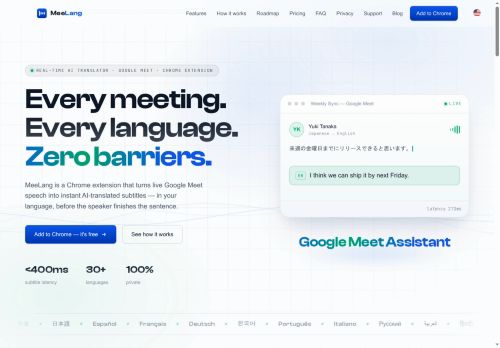
- Online Meeting Translation
- Optimal Translation
- Input Translation
- Hover & Shortcut Translation
- AI-Powered Translation
- Termbase Management
Use Cases
- Navigate global commerce from overseas shopping and product research to supplier sourcing and customer support. Translate storefronts, product pages, reviews, and images bilingually, use termbases to keep trade terminology consistent, and translate messages instantly when negotiating orders or handling inquiries.
- Move from literature discovery to close reading and note-taking across languages. Translate journal websites and research papers, process scanned PDFs with PDF Plus, preserve formulas and tables, and use hover or selection translation to examine terminology without losing the context.
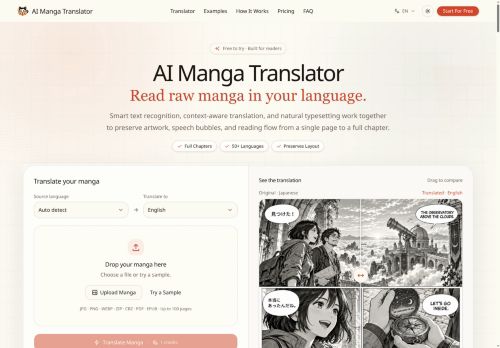
- Understand visual content across languages, from manga and webcomics to infographics, posters, and social media images. Translate speech bubbles, captions, and embedded text directly on each image, preserve a readable visual experience, and restore the original anytime for easy comparison.
Who is it for?
- End users needing a browser translation extension
- Users of chromium-based browsers (chrome, edge, opera, brave)
- Users unable to access or use the browser app store
- It administrators and system administrators deploying extensions
- Developers testing or packaging crx/zip extensions
- Non-technical users who need illustrated step-by-step installation guidance
- Power users who sideload or manually install extensions in restricted/offline environments
No review yet!
More Translation AI Tools
Explore other translation tools with user ratings, pricing details, and in-depth descriptions. Updated regularly by our editorial team.