
About ImageTextEditor
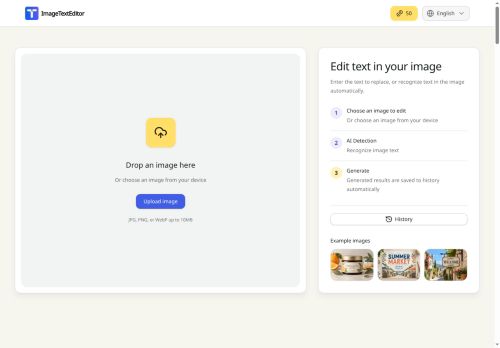
ImageTextEditor edits text embedded in image files through a browser-based workflow.
Upload an image, select text to replace, add, remove, extract, or translate, and download the updated file.
Text removal reconstructs surrounding background to preserve the original visual context.
OCR-powered extraction converts image text into editable, copyable text and enables in-tool translation.
Replace and add operations maintain layout and typography consistency with the source image.
Results are saved to history for repeat edits and version review.
Workflows support screenshots, posters, product visuals, and other images containing embedded text.
Key Features
Use Cases
Who is it for?
Upload an image, select text to replace, add, remove, extract, or translate, and download the updated file.
Text removal reconstructs surrounding background to preserve the original visual context.
OCR-powered extraction converts image text into editable, copyable text and enables in-tool translation.
Replace and add operations maintain layout and typography consistency with the source image.
Results are saved to history for repeat edits and version review.
Workflows support screenshots, posters, product visuals, and other images containing embedded text.
Key Features
- Browser-based image text editing workflow with image upload, text selection, and download of updated files
- Support for replace, add, remove, extract, and translate operations on embedded image text
- Background-aware text removal that reconstructs surrounding pixels to preserve original visual context
- OCR-powered extraction converting image text into editable, copyable text and enabling in-tool translation
- Replace and add operations that preserve source layout and typography consistency
Use Cases
- Translate and localize marketing images and product photos by uploading them to the browser editor, using OCR to extract embedded text, translating and replacing it while preserving layout and typography — publish localized creatives without redesign or coding
- Remove watermarks, captions, or timestamps from photos and reconstruct backgrounds automatically with the editor’s removal feature, then save versioned edits for quality control and reuse in product listings, presentations, or ads
- Update labels, prices, or legal copy across visual assets by extracting text via OCR, performing typography-preserving replacements, and maintaining version history for auditing and collaboration during rapid content updates
Who is it for?
- Graphic designers
- Marketing teams
- Social media managers
- Content creators and bloggers
- E-commerce sellers and product photographers
- Localization and translation teams
- Ux/ui designers and app developers
- Advertising and creative agencies
- Pr and communications teams
- Customer support and qa teams
- Journalists and editors
- Educators and students
No review yet!
More Image editing AI Tools
Explore other image editing tools with user ratings, pricing details, and in-depth descriptions. Updated regularly by our editorial team.