
About WearAI
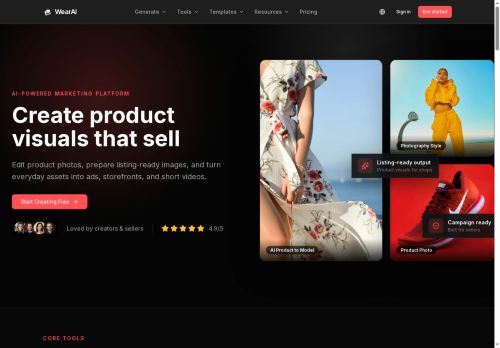
WearAI combines image and video editing tools with AI workflows to create and prepare product visuals for listings, ads, storefronts, and short-form videos. Core features include image compression, resizing, cropping, format conversion, watermarking, and image-to-PDF creation.
Video tools provide format conversion and audio extraction for demos and clips. AI-driven workflows enable product-to-model generation, product staging, ad creative variations, and short campaign video drafts.
Generative options include text-to-image, image-to-image, text-to-video, and video-to-video capabilities alongside templates and channel presets.
The platform consolidates routine file preparation and visual generation into a single workflow to reduce file handling and accelerate production of listing-ready images and campaign assets.
Key Features
Use Cases
Who is it for?
Video tools provide format conversion and audio extraction for demos and clips. AI-driven workflows enable product-to-model generation, product staging, ad creative variations, and short campaign video drafts.
Generative options include text-to-image, image-to-image, text-to-video, and video-to-video capabilities alongside templates and channel presets.
The platform consolidates routine file preparation and visual generation into a single workflow to reduce file handling and accelerate production of listing-ready images and campaign assets.
Key Features
- Image editing (compression, resizing, cropping, format conversion, watermarking, image-to-PDF creation)
- Video tools (format conversion, audio extraction)
- AI-driven workflows for product visuals (product-to-model generation, product staging, ad creative variations, short campaign video drafts)
- Generative media capabilities (text-to-image, image-to-image, text-to-video, video-to-video)
- Templates and channel presets with a consolidated workflow for file preparation and visual generation
Use Cases
- Prepare marketplace-ready product visuals without manual editing or external tools by using WearAI to remove backgrounds, generate product-on-model images, stage products, resize and compress to platform specs, add watermarks and convert formats for seamless listing uploads
- Automate ad creative and short-form campaign videos by turning product photos into product-to-model shots, generating creative variations, extracting audio, and exporting platform-specific video formats and aspect ratios for rapid A/B testing
- Scale ecommerce image workflows and catalogs by batch compressing/resizing assets, converting image galleries to PDF catalogs, applying staging and watermarking, and auto-producing short storefront videos to improve conversion and speed time-to-market
Who is it for?
- E-commerce sellers
- Marketplace sellers (amazon/etsy)
- Direct-to-consumer (dtc) brand managers
- Product photographers and retouchers
- Marketing and social media managers
- Creative agencies and ad producers
- Content creators and short-form video creators
- Ecommerce operations and listing teams
- Small business owners managing product visuals
- Retail visual merchandisers
No review yet!
More Image editing AI Tools
Explore other image editing tools with user ratings, pricing details, and in-depth descriptions. Updated regularly by our editorial team.