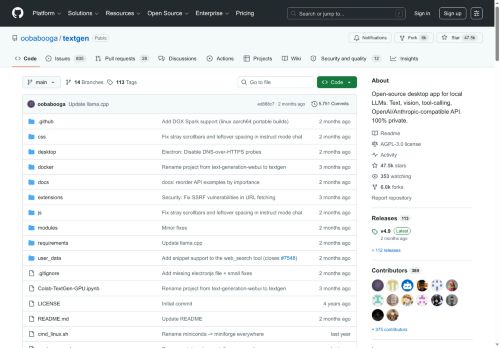

About TextGen - oobabooga
Multiple backends and model formats are supported, including gguf (llama.cpp), exllamav3, transformers, ik_llama.cpp, and tensorrt-llm, with backend switching without restart.Provides chat and instruction-following modes, jinja2 prompt templates, conversation branching, message editing and versioning for prompt engineering workflows.
Includes an OpenAI/Anthropic-compatible API and tool-calling support for custom functions, web search, page fetching, and MCP server integration.Portable builds available with CUDA, Vulkan, ROCm, and CPU-only options; dependencies are bundled for quick local deployment.
Extensible via extensions, training and image-generation backends, and a desktop UI plus API for developers building local LLM applications.
Key Features
- Cross-platform desktop app for running local LLMs on Windows, macOS, and Linux
- Supports text and multimodal (vision) inputs, image understanding, file attachments (TXT, PDF, DOCX), and a notebook tab for free-form generation
- Multiple backends and model formats (gguf/llama.cpp, exllamav3, transformers, ik_llama.cpp, tensorrt-llm) with backend switching without restart
- Chat and instruction-following modes with jinja2 prompt templates, conversation branching, message editing and versioning
- OpenAI/Anthropic-compatible API and tool-calling support for custom functions, web search, page fetching, and MCP server integration
Use Cases
- Build a private, offline multimodal personal assistant on your laptop that ingests PDFs, images and notes, performs document-aware text generation for summaries and Q&A, and switches model backends dynamically for best speed vs. accuracy
- Create a research and writing workspace that attaches source files and datasets, uses the prompt-engineering tools and conversation branching to iterate on literature reviews or grant drafts, and exports reproducible prompts or API/tool-calls for downstream workflows
- Prototype and test LLM-powered automations locally by hot-switching model backends, defining custom function-calling and tool integrations, and iterating on multimodal prompts and branching dialogs before deploying to production
Who is it for?
- Software developers
- Machine learning engineers
- Prompt engineers
- Startup founders
- Local llm hobbyists
Based on 6 verified user reviews — Average rating: 3.50/5

@risnderwood7827
TurkeyAverage experience. Useful sometimes, frustrating other times.

@jamesmendoza9128
Turkeyİş akışıma gerçekten faydası oldu. Kurulumu kolaydı ve sonuçlar beklediğimden iyi çıktı.

@gloriagutierrez6159
TurkeyTextGen - oobabooga ile ilgili sürpriz, tercihleri ayarladıktan sonra sürtünmenin azalması oldu. Kısa bir kontrol listem var: hedef kitle, ton, zorunlu maddeler, istenmeyen ifadeler. Bunlarla çıktılar düzenli şekilde kullanılabilir oluyor. Olmadan sonuçlar genel kalıyor. Boş sayfadan başlamak yerine hızlıca iterasyon yapabilmek de büyük artı. Eksik gördüğüm yerler: daha iyi sürüm geçmişi ve net export seçenekleri. Yine de dağınık birkaç aracı elimden aldı. Puanım reklam değil, haftalık pratik faydaya göre.


@janicemurphy8945
TurkeyNot ready yet. I hit paywalls quickly and the free results were too weak.

@karenadams3590
TurkeyWorks smoothly on desktop. Would love more export options, but the core experience is good.
More Infrastructure tools AI Tools
Explore other infrastructure tools tools with user ratings, pricing details, and in-depth descriptions. Updated regularly by our editorial team.