
About Maestro AI
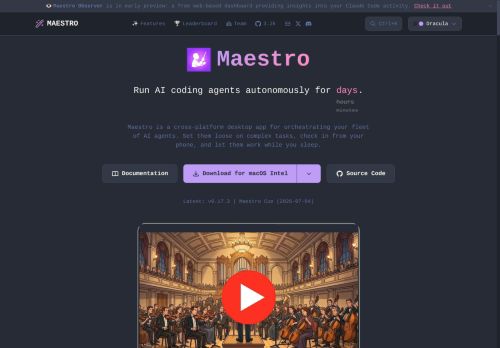
Built-in web server with QR and Cloudflare tunnel access for remote control; full CLI and headless modes for scripting, cron jobs, and pipeline integration.Real-time monitoring, agent workspace and history, session discovery, and group chat for multi-agent collaboration and stateful context.
Git integration with automatic repo detection, branch and diff views, commit logs, and git-aware file completion to streamline code edits.Keyboard-first UI with customizable shortcuts and command palette (Ctrl+K), plus JSON output and logging for integration with tools and automation workflows.
Key Features
- Orchestrates autonomous AI coding agents across desktop apps, headless CLI, and mobile remote control
- Supports multi-agent workflows, parallel agent instances, batch Markdown checklist processing, repeatable playbooks, and cron/CI/CD scheduling
- Built-in web server with QR code and Cloudflare Tunnel remote access plus full CLI and headless modes for scripting and pipeline integration
- Real-time monitoring and agent workspace with history, session discovery, and group chat for multi-agent collaboration and stateful context
- Git integration with automatic repository detection, branch and diff views, commit logs, and git-aware file completion
Use Cases
- Automate end-to-end feature development across microservices using Maestro's multi-agent orchestration and git-aware editing to assign autonomous agents to implement, run unit/integration tests, open and update pull requests, and stream JSON logs for auditability and CI/CD integration
- Set up continuous security, linting, and regression pipelines using Maestro by scheduling autonomous agents to scan branches, auto-fix trivial issues with git-aware edits, create PRs for human review, and export structured logs for compliance and observability
- Coordinate real-time incident remediation and hotfix delivery with Maestro's remote agent control and monitoring to triage failures, apply hotfix branches, run staged CI/CD deployments, and produce JSON/log outputs for postmortems and downstream automation
Who is it for?
- Software developers
- Devops engineers
- Automation engineers
- Engineering managers
- Quality assurance engineers
Based on 10 verified user reviews — Average rating: 3.90/5

@royperez3204
TurkeyBirkaç alternatifle karşılaştırdım; günlük kullanım için daha pratik geldi.

@graceclark97
TurkeyI have been using Maestro AI for a few weeks on real client work, not just demos. The first week was mostly learning prompts and figuring out which templates stick. After that, drafting time dropped noticeably — especially for outlines, email replies, and first-pass summaries. It is not flawless: long documents sometimes lose structure, and I still fact-check anything important. Still, for a busy week it has become one of the tools I open without thinking. If you already have a clear workflow, Maestro AI fits in cleanly. If you expect magic with zero editing, you will be disappointed. For me, the time saved on the boring middle steps is worth it.

@mariecastillo4901
Turkeyİş akışıma gerçekten faydası oldu. Kurulumu kolaydı ve sonuçlar beklediğimden iyi çıktı.


@seanbrooks1307
TurkeyDaha iyi prompt yazınca çıktı kalitesi net yükseldi. Kullanışlı buldum.

@amypatel9993
TurkeyMaestro AI umut verici. Birkaç özellik eksik olsa da çekirdek deneyim güçlü.
More AI Agents AI Tools
Explore other ai agents tools with user ratings, pricing details, and in-depth descriptions. Updated regularly by our editorial team.