
About PicText
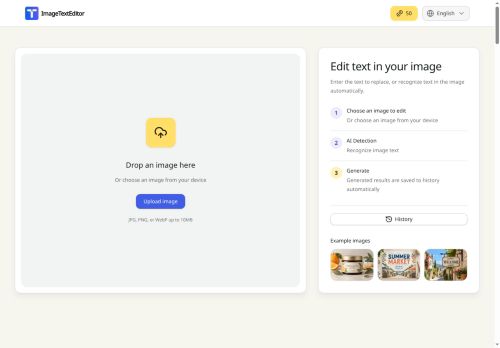
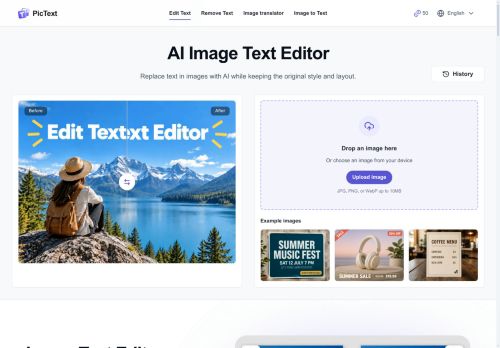
PicText is an AI image text editor that lets you replace, remove, or translate text in photos and screenshots while preserving the original style and layout.
It automatically detects text areas and reconstructs surrounding pixels so edits blend with the background without needing the original design file or manual retouching. Edits run in the browser with no software installation and work on desktop and mobile devices.
Upload posters, product shots, screenshots, or scanned documents, select the text to change, and type the new wording to update the image. The editor aims to maintain placement and visual consistency of replacement text, with results that vary by image quality.
Additional capabilities include image-to-text extraction and a multilingual interface.
Key Features
Use Cases
Who is it for?
It automatically detects text areas and reconstructs surrounding pixels so edits blend with the background without needing the original design file or manual retouching. Edits run in the browser with no software installation and work on desktop and mobile devices.
Upload posters, product shots, screenshots, or scanned documents, select the text to change, and type the new wording to update the image. The editor aims to maintain placement and visual consistency of replacement text, with results that vary by image quality.
Additional capabilities include image-to-text extraction and a multilingual interface.
Key Features
- Replace, remove, and translate text in images while preserving original style and layout
- Automatic text region detection and background pixel reconstruction (inpainting) without original design files or manual retouching
- Browser-based editing with no installation, running on desktop and mobile devices
- Interactive workflow: upload images (posters, product shots, screenshots, scanned documents), select text areas, and type replacements
- Image-to-text extraction (OCR) and multilingual interface
Use Cases
- Replace outdated or incorrect copy on product labels and marketing images using PicText in-browser on desktop or mobile, preserving original fonts, layout and surrounding pixels so you can update packaging photos or ad creatives without re-shoots or design software
- Remove or redact sensitive information and fix typos in screenshots, invoices or user manuals with PicText’s auto-detected OCR and in-browser editor, keeping the image’s style intact for polished documentation and internal sharing
- Translate menus, signs and printed materials on the fly with PicText’s OCR-powered extraction and multi-language support, producing localized images that preserve formatting and visual context for travel, customer support or localized marketing
Who is it for?
- Graphic designers
- Marketing and social media managers
- E-commerce sellers and product photographers
- Content creators and influencers
- Translators and localization specialists
- Ux/ui and app designers
- Small business owners and entrepreneurs
- Educators and students
- Journalists and researchers
- Legal, compliance, and hr teams
No review yet!
More Image editing AI Tools
Explore other image editing tools with user ratings, pricing details, and in-depth descriptions. Updated regularly by our editorial team.